Introduction
Humans always pursue something better once they have the basics; desire is endless. I wanted a NAS, but the budget didn’t allow it. So, I used four projects to set up a portal, anime, manga, and audio library on my own PC.
Picking up where we left off last time , let’s keep tinkering.
Final Result
Everything is deployed using Docker. Theoretically, it can be replicated on any platform that supports Docker.
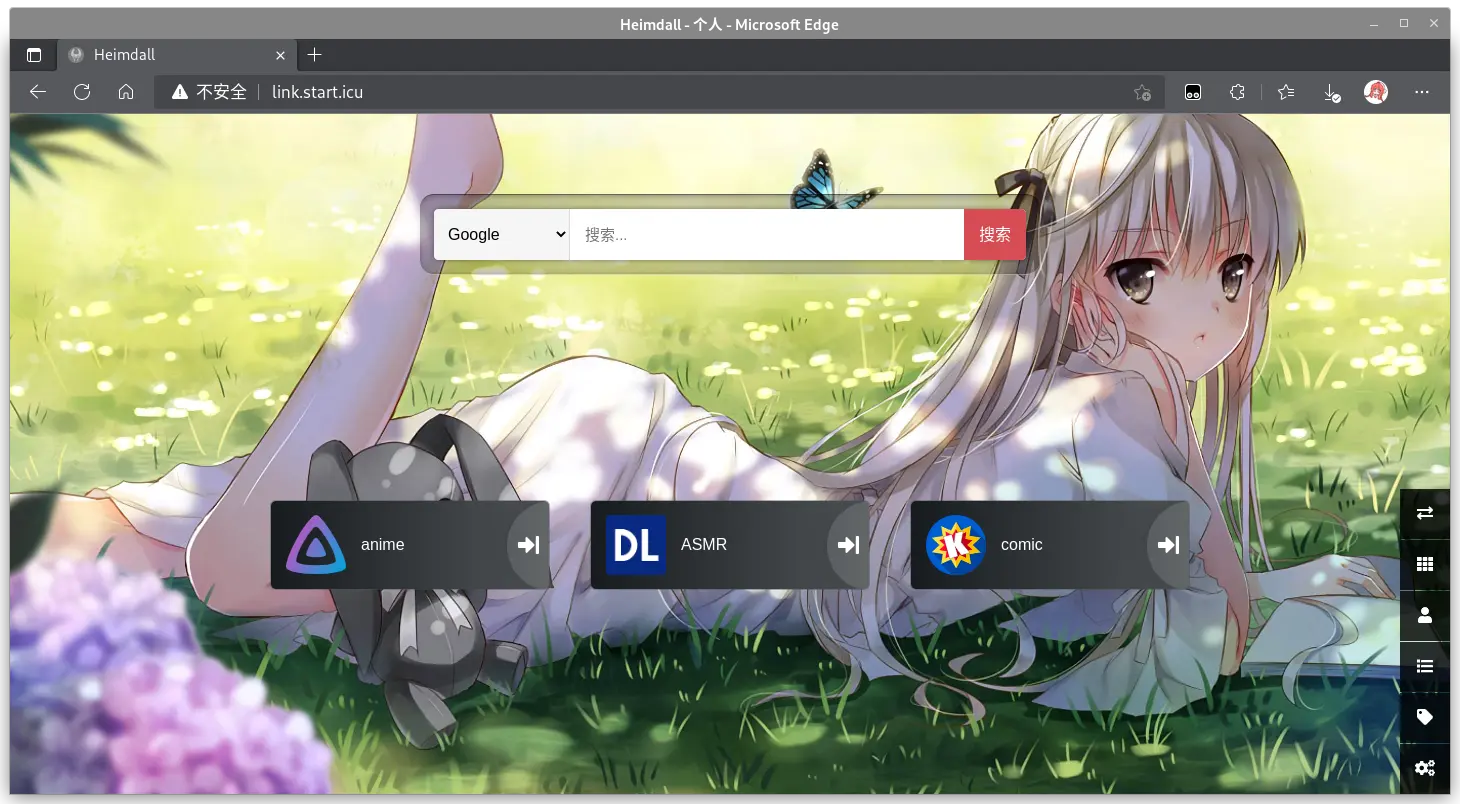
- Adjusted the domain to
link.start.icu. Originally there was no.icu, but the browser couldn’t resolve it without a TLD, so I added it(strangely, it looks better now). - Mobile view image alignment is a bit… off
(it’s a mess). - When I have time, I’ll deploy this to a server as a navigation page (though not being able to change titles directly is a pain, and I don’t want to mess with JS).
Note: Deployed using Docker Desktop. Since the process is almost identical to last time , I won’t repeat the deployment steps.
Logging into Docker Hub
Apparently, you need to log in to use docker pull on some setups.
First, register an account on the official site: Docker Hub
Then initialize credentials by running:
| |
After entering your info, note the string on the line below pub in the output. Copy and replace [pub] in the following command:
| |
Then log in via Docker Desktop.
Anime - Jellyfin
Docker Hub: jellyfin/jellyfin
Official Site: Jellyfin: The Free Software Media System
| |
The cover art scraping isn’t perfect. Since this isn’t a dedicated NAS, I’m too lazy to fix it manually.
Reference: Building a better anime library with Jellyfin + Bangumi - Hatsune
Manga - Komga
Docker Hub: gotson/komga
Official Site: Komga
| |
Note: Scanning a large manga collection can make your PC lag significantly.
Audio Dramas/ASMR - kikoeru-express
Docker Hub: muveex/kikoeru-express
Github: kikoeru-project/kikoeru-express
I downloaded version 0.6.2 (this thing looks very similar to a certain website).
| |
I originally considered Plex after reading some articles, but the mandatory login turned me off. The UI looked great, but then I found out adding local libraries required installing their closed-source software. That software can access almost every file on the system (except the ones I actually mounted). Uninstalled. Maybe I’ll reconsider it if I ever build a proper NAS.
Dashboard - Heimdall
Docker Hub: linuxserver/heimdall/
Official Site: Heimdall Application Dashboard
| |
The
second reference article
mentions Unified Authentication, but I didn’t need it (mostly because it looked complicated).
Final Thoughts
Based on this experience, you might not actually need to pay for a dedicated NAS OS. Buying PC parts to build a host, installing Linux, and using various open-source projects should provide a great experience.
If the command line is too much, you can always install a lightweight GUI like Xfce or JWM.
References
Talking about how to use Docker to build a “Synology”-like setup - SMZDM
NAS can also use [Unified Authentication] - SMZDM
Setting up your own media server with Plex & Docker - RIN’S HOME
Building a better anime library with Jellyfin + Bangumi - Hatsune